Dunkin’ Survey at TellDunkin.com (2026): Steps, Receipt Info & Reward


Last updated: November 15, 2026 · We checked the official survey start page (telldunkin.com, which opens the survey at dunkinrunsonyou.com), the Dunkin’ Rewards Terms and Conditions and Dunkin’s newsroom for the current rules.
- Yes. Dunkin’ runs a guest feedback survey. Go to www.telldunkin.com and it opens the survey at dunkinrunsonyou.com (checked November 15, 2026).
- What you get: No fixed reward is posted on the public survey pages we could check. Any offer is the one printed on your receipt.
- Who qualifies: Guests who got a receipt with a survey invitation. An age rule is not posted on the survey site; check your receipt.
- How: Enter the Survey Code from your receipt, click Begin Survey and answer the questions. The site says it takes less than 3 minutes.
- Limits: Deadline, how many surveys you can take and how to redeem an offer are not posted publicly. Follow the receipt.
You grabbed coffee at Dunkin’ and your receipt asks you to tell them how it went. This guide shows where the real survey lives, what you need before you start, and what we could and could not confirm about the reward.
We only list what we could confirm on Dunkin’s official pages. We opened www.telldunkin.com in a browser on November 15, 2026. It sends you to dunkinrunsonyou.com, where the survey start page asks for a Survey Code from your receipt. Many unofficial sites say you will get a “free donut” for every survey. We could not confirm a fixed reward on any official page, so treat those claims with care.
Dunkin’ survey at a glance (November 2026)
| Detail | What we found | Status |
|---|---|---|
| Official website | www.telldunkin.com, which opens the survey at dunkinrunsonyou.com | Confirmed |
| Receipt info needed | One Survey Code, printed on your receipt (“Where is my survey code?” help link on the page) | Confirmed |
| Time to complete | “Less than 3 minutes,” per the start page | Confirmed |
| Languages | English and Español | Confirmed |
| No survey code | The start page has an “I don’t have a survey code, please click here” link | Confirmed |
| Site owner / privacy | Footer: “© 2026 DD IP Holder LLC,” with links to the Dunkin’ Privacy Policy and Dunkin’ CA Privacy Policy | Confirmed |
| Reward | Not posted on the survey site; check your receipt | Not confirmed |
| Deadline to take the survey | Not posted on the survey site; check your receipt | Not confirmed |
| Minimum age | Not posted on the survey site; check your receipt | Not confirmed |
| Purchase needed | The survey asks for a Survey Code located on your receipt | Varies |
| Survey limit per person | Not posted on the survey site; check your receipt | Not confirmed |
| Survey vendor | No outside survey company is named on the start page | Not confirmed |
How to take the Dunkin’ survey (step by step)
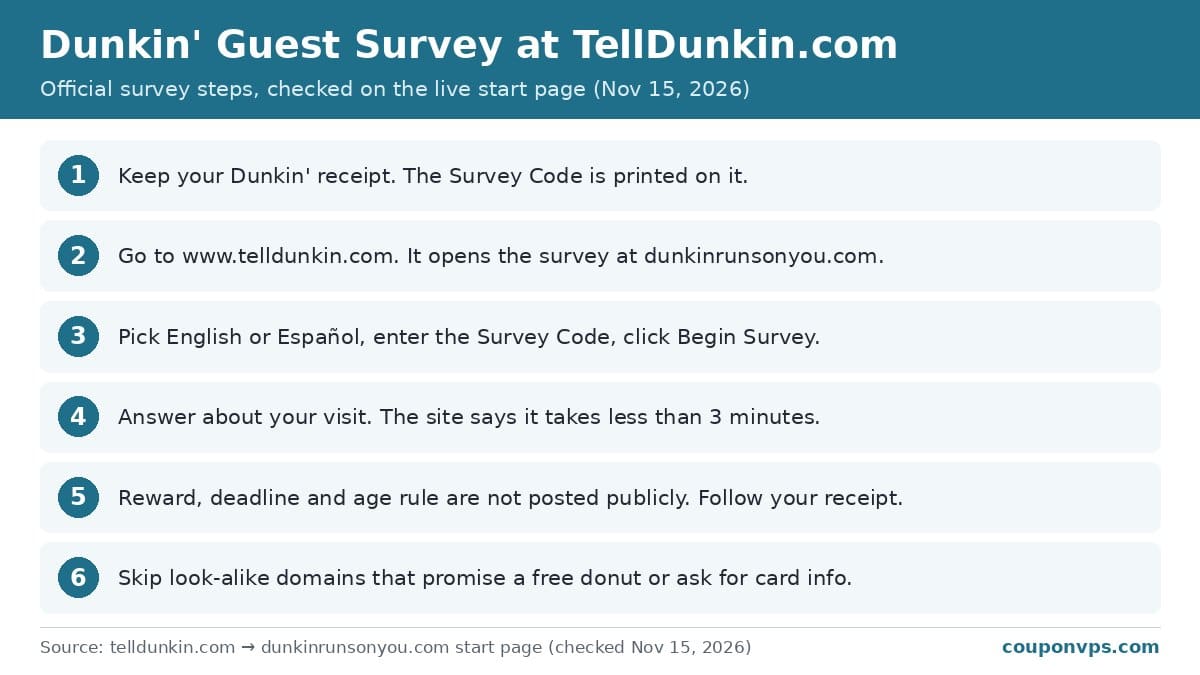
- Keep your receipt. Look for the survey invitation and the Survey Code. Not every receipt has one.
- Go to www.telldunkin.com. It opens the survey start page at dunkinrunsonyou.com. Type the address yourself rather than clicking ads or search results.
- Pick English or Español. Use the language menu on the start page.
- Enter your Survey Code. Type it exactly as printed on the receipt. If you can’t find it, use the “Where is my survey code?” link on the page.
- Click Begin Survey and answer. Rate your visit honestly. The start page says the process should take less than 3 minutes.
- Finish and note any offer. If the last screen shows a code or tells you to write something on your receipt, do it right away and keep the receipt.
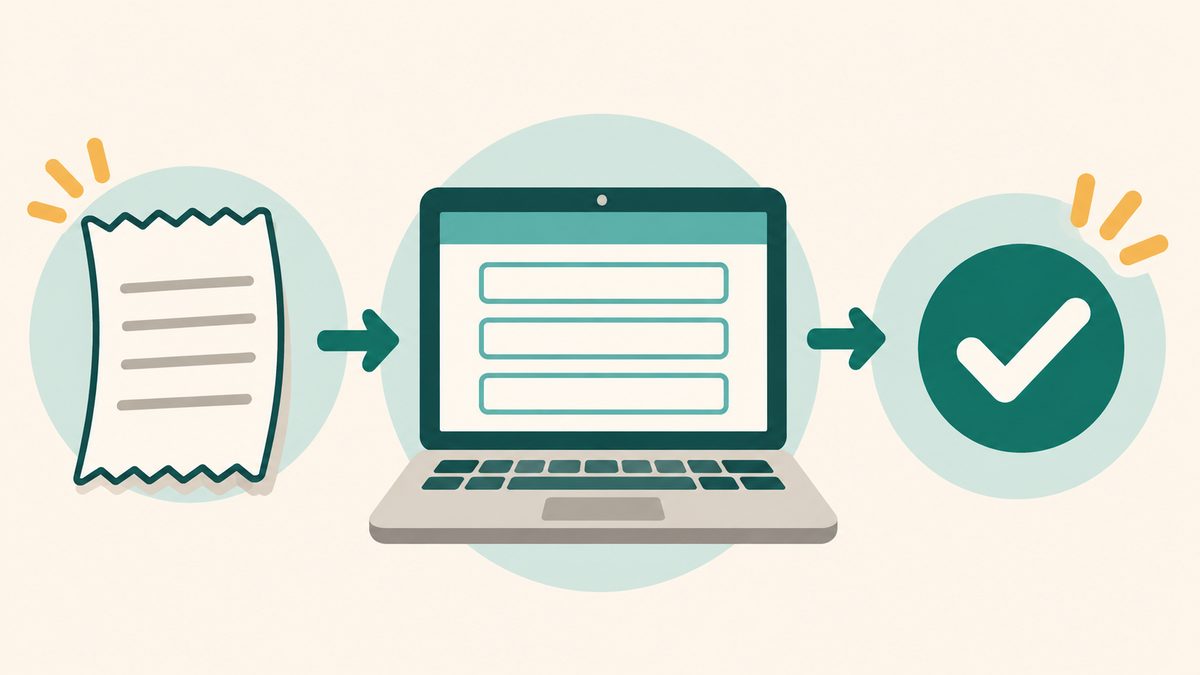
What you need before you start
- Your receipt. The start page asks for one thing: the Survey Code printed on it.
- About 3 minutes. The start page says the process should take less than 3 minutes.
- A phone or computer with a browser. The site works in a normal web browser. No app or account is needed to reach it.
- A pen. Useful if the final screen gives you a code to write on the receipt.
Rules and fine print
- The receipt sets the terms. Reward, deadline and redemption rules are not posted on the public survey pages. What your receipt says is what applies.
- Offers can vary by store. Terms may differ by location. Do not assume every store honors the same survey offer.
- Dunkin’ privacy rules apply. The survey footer reads “© 2026 DD IP Holder LLC” and links to the Dunkin’ Privacy Policy and Dunkin’ CA Privacy Policy.
- Survey offers are separate from Dunkin’ Rewards. Points and Rewards in the app follow their own terms (see below).
Troubleshooting and tips
- Code not accepted. Re-type it slowly. Mixed-up digits are the most common error. If it still fails, the receipt may be too old or not eligible.
- No survey code. The start page has an “I don’t have a survey code, please click here” link. You can also send feedback through Dunkin’s contact page on dunkindonuts.com. Any receipt offer still needs a code.
- Page will not load. Try another browser or turn off ad blockers, then reload the address from the receipt.
- Look-alike sites. Many sites use “telldunkin” or “dunkinrunsonyou” in longer or different domain names (for example .me, .club or .click endings) and promise prizes. Type www.telldunkin.com yourself; the real survey runs at dunkinrunsonyou.com and shows “© 2026 DD IP Holder LLC” at the bottom. The real survey never needs your card number, bank details or Dunkin’ account password.
- Lost your receipt. Without the Survey Code you cannot claim a receipt offer. The “I don’t have a survey code” link is the only no-code option shown.

Other real ways to save on Dunkin’
Dunkin’ Rewards: The program is free to join. The official Terms and Conditions (updated October 2025) say members earn 10 points for each $1 spent on qualifying products. Dunkin’s newsroom said at launch (October 6, 2022) that rewards start at 150 points.
Boosted Status: Per the same terms, 12 qualifying visits in a calendar month unlock Boosted Status, which gives 1.2 times the points for the rest of that month and the next three calendar months. Visits must be at least 60 minutes apart to count.
Birthday offers: Adding your birthday (month and day) to your profile is optional and lets you receive birthday offers, according to the terms. The exact offer is not spelled out there.
Points expire: The terms say points expire 12 months from the last day of the month they were earned, regardless of activity. Full guide: Dunkin’ Rewards explained.
Related deals
- Dunkin’ Rewards: points, Boosted Status and offers
- Jack in the Box survey
- McDonald’s survey at McDVoice
- Taco Bell survey
- Burger King survey at MyBKExperience
- KFC survey at MyKFCExperience
- Popeyes survey
- Subway survey
Frequently asked questions
What is the official Dunkin’ survey website?
Go to www.telldunkin.com. It sends you to dunkinrunsonyou.com, where you enter the Survey Code from your receipt. Both are reached from the official address; other similar-looking domains are not official.
Do you get a free donut for the TellDunkin survey?
We could not confirm a fixed reward on any official page. Some receipts may carry an offer, but only the receipt tells you what it is and how to redeem it.
Can I take the Dunkin’ survey without a receipt?
The start page asks for a Survey Code from your receipt, but it also has an “I don’t have a survey code, please click here” link. Any receipt offer, though, depends on the receipt itself.
How long do I have to take the Dunkin’ survey?
A deadline is not posted on the survey site. Check your receipt and take the survey soon after your visit to be safe.
Is telldunkin.com legit or a scam?
Yes. Telldunkin.com is the official address and opens the survey at dunkinrunsonyou.com, whose footer reads “© 2026 DD IP Holder LLC.” Look-alike sites with similar names are not official. The real survey never asks for card numbers or passwords.
CouponVPS is not affiliated with Dunkin’. Terms can change and may vary by location. We report only what we could check ourselves. Sources: Dunkin’ survey start page (telldunkin.com → dunkinrunsonyou.com, checked November 15, 2026); Dunkin’ Rewards Terms and Conditions (dunkindonuts.com/dunkin-rewards-terms-and-conditions/, checked November 2026); The New Dunkin’ Rewards Program Rolls Out Nationwide (news.dunkindonuts.com/news/dunkin-rewards, checked November 2026).